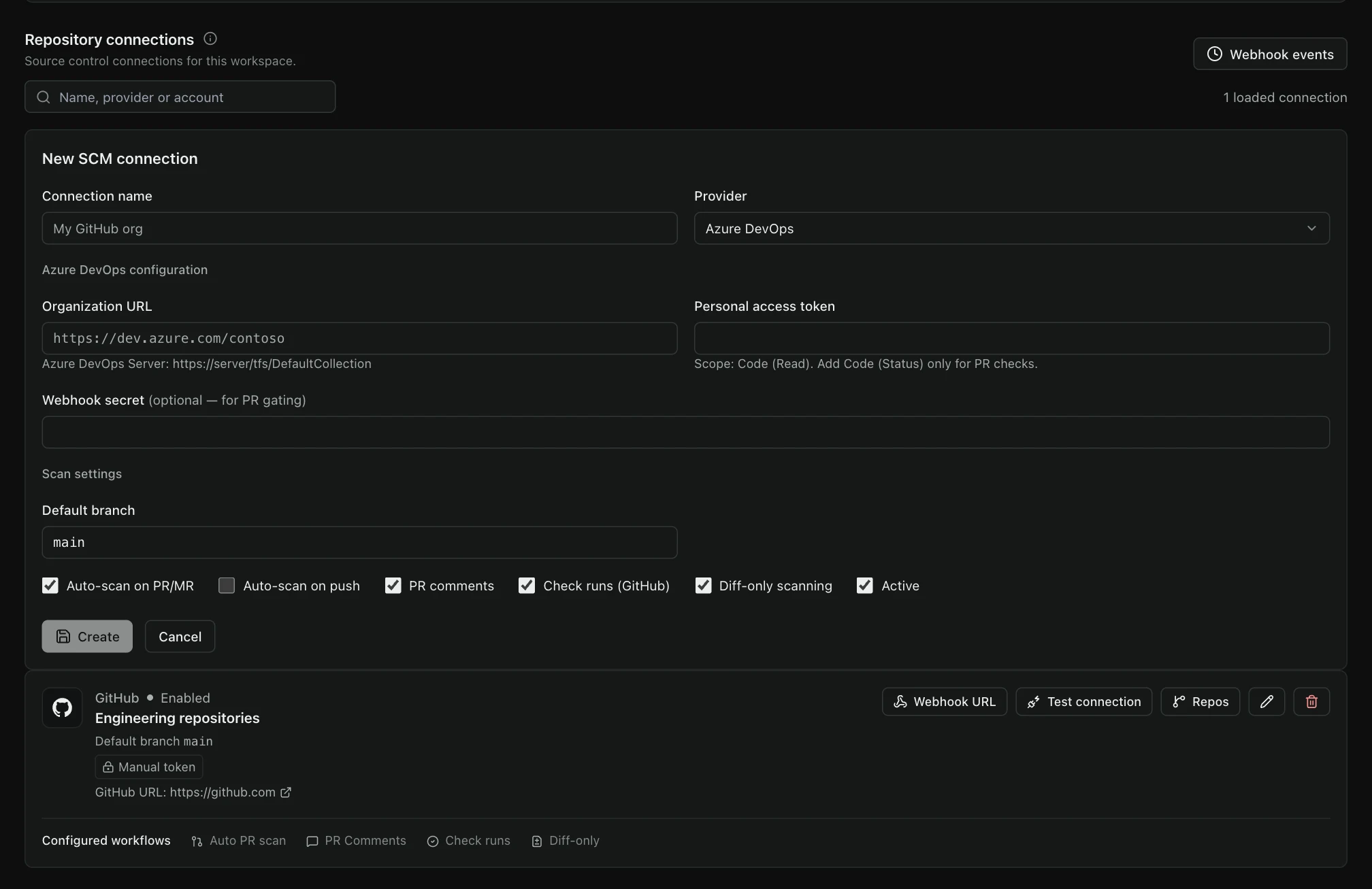
Bring the intended repository into TraceMint. Choose the connection and permissions that fit your source-control environment, then scope the security work.
All five providers have repository connection, discovery and import paths. Authentication, event triggers and result feedback are provider-specific—not a single blanket integration promise.
Connection directoryChoose your provider
GitHub
App or token
01 Connect & import
GitHub App or supported token connection.
Repository discovery, selection and import. Scope access to the repositories used for the evaluation.
02 Delivery workflow
Configured push / pull-request webhooks and GitHub Actions workflows.
Configure least-privilege credentials, allowed server URLs and the exact provider edition. Webhooks and external feedback require their own permissions and setup; a saved connection does not enable them automatically.
A practical onboarding path
The right repository. The right access.
01
Identify the connection
Review your provider, hosted or self-managed setup, network access and supported authentication method.
02
Limit the permissions
Grant the access needed for the selected workflow. Keep credentials scoped and follow your organization’s rotation process.
03
Choose what to analyze
Select the intended repository and scan configuration. Review the project and revision behind each result.

 GitHub
 GitLab
 Bitbucket
 Azure DevOps
 Gitea
Gitea