AI-led investigation · Web & API

Put a hypothesis
to the test.

Explore the application, investigate how it behaves, and follow the evidence. An AI-led pentesting workflow that connects discovery, authenticated testing and a reviewable handoff—with the operator in control.

Web & network profile

Disabled by default. Customer enablement requires deployment and model/runtime acceptance.

Evaluation requirements
An investigation, opened up

Follow the question.
Inspect every step.

One API. Two workspaces. Explore how a narrow hypothesis becomes an evidence-led handoff.

Invoice workspace boundary
ENG-014 Illustrative session
Engagement scope01 / 06

Give the investigation a boundary.

Approved example hostinvoice.example.invalidWeb application + API

Inside the boundary

  • GET /api/invoices
  • GET /api/invoices/*
  • POST /api/session · sign-in only

Excluded

  • /api/payments/*
  • Third-party origins
Request ceiling
120
Time window
15min
Concurrency
2

Example values, not product defaults. The illustrated scope permits reads and sign-in, not payment changes.
Discovery notebook02 / 06

Turn the surface into an inventory.

API definitionBrowser contextAdmitted probes
Endpoint inventorySource retained per route
  • POST
    /api/sessionSign-in
    API definition
  • GET
    /api/invoicesCollection
    Browser observation
  • GET
    /api/invoices/{id}Object access
    API definition
443/tcp · connection accepted

Example network observation. An open port alone does not identify the protocol or prove a vulnerability.

Identity context03 / 06

Know who is asking. Know what they own.

Selected test identityWorkspace memberWorkspace A · session held constant
Credential referencesample-member

Credential values are not placed in model context.

Same actor
Own objectinv_AWorkspace A
Comparison objectinv_BWorkspace B

Both objects belong to the controlled fixture. No second login is used for this comparison.

Request comparison04 / 06

Ask one precise question.

Hypothesis / 01

Can workspace A read an invoice owned by B?

Baseline · own objectE-01
GET /api/invoices/inv_A HTTP/1.1
Host: invoice.example.invalid
Cookie: [REDACTED]
Accept: application/json
Comparison · foreign objectE-02
GET /api/invoices/inv_B HTTP/1.1
Host: invoice.example.invalid
Cookie: [REDACTED]
Accept: application/json
Same method, host and session. Only the object ID changes.
Evidence register05 / 06

Read more than the status code.

E-01 Baseline200 OK
/api/invoices/inv_A
{
  "id": "inv_A",
  "workspace": "A",
  "total": 240
}
E-02 Comparison200 OK
/api/invoices/inv_B
{
  "id": "inv_B",
  "workspace": "B",
  "total": 760
}
Observation → interpretation

A workspace A member receives invoice metadata belonging to workspace B.

Known object ownership is the control. The status code by itself is insufficient.
Finding & retest06 / 06

Make the next action testable.

Finding F-01 · synthetic example

Cross-workspace invoice access

Recommended change

Enforce object ownership on the server before returning invoice data.

EvidenceE-01 → E-02

After the illustrated fix

Same identity · same objects
R-01 · Legitimate access200/api/invoices/inv_A{"id":"inv_A","workspace":"A","total":240}
R-02 · Foreign object404/api/invoices/inv_BNo response body
Read the sample report

Authored report and retest illustration—not a live run or an automatically closed product finding.

Scope → discovery → identity → hypothesis → evidence → handoffAuthored example · not a captured model run
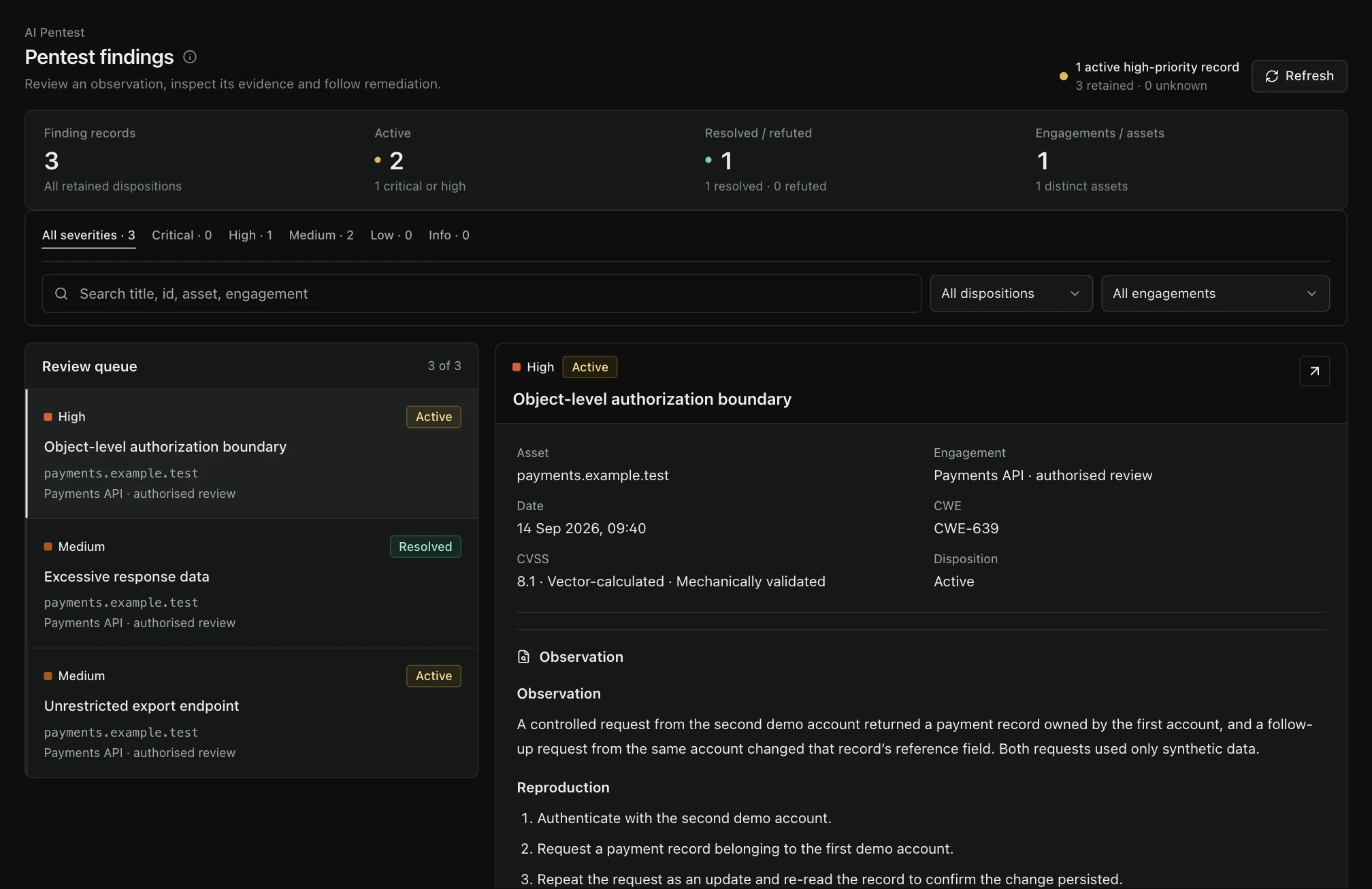
TraceMint AI Pentesting workspace with illustrative project data.
TraceMint interfaceIllustrative demo dataView full size — opens image in a new tab↗
Beyond a single request

Different questions.
A connected investigation.

The agent selects from the capabilities admitted for the engagement. Discovery supplies context; controlled tests gather observations; the evidence remains available for review.

01

Surface & reachability

Endpoint inventory, OpenAPI or GraphQL context, browser-assisted exploration, and scoped DNS, port and service discovery.

  • API definitions
  • Browser context
  • Network services
02

Identity & access

Supported login flows, session behavior, object-level authorization and role boundaries, with explicitly selected test identities.

  • Form / JSON login
  • OAuth grants
  • Object ownership
03

State & workflow

Investigate field changes, request replay, CSRF and business-workflow assumptions. Available actions depend on the admitted runtime and engagement policy.

  • Field changes
  • Replay
  • Workflow transitions
04

Evidence & follow-through

Retain exchanges and observations, review the finding, export the report, link follow-up work and record a separately scoped retest.

  • Evidence references
  • Report export
  • Retest history
What does the tool coverage actually include?

Discover with provenance

OpenAPI/Swagger, HAR, Postman and GraphQL introspection inputs; bounded crawl and browser context; exact-authority TCP connection probes. Open ports are observations, not proof of exploitable services.

Use a supported identity

Form or JSON login and OAuth client-credentials or password grants. Broad SSO/MFA support is not implied. Stored credentials are encrypted and engagement-bound; the model works with references rather than secret values.

Keep external tools specific

Subfinder uses the fixed Hackertarget source; httpx probes one authorized URL; Nuclei uses a selected six-template profile, with 18 curated templates across three profiles. These are not the complete upstream tool catalogs.

Match tools to the runtime

HTTP, browser, WebSocket and specialized scenario tools depend on runtime admission. Browser checks need the validated Chromium runtime; blind/OOB testing additionally needs its admitted, signed sink. Missing capability is not a passing test.

Autonomy with an operator in control

Let the agent investigate.
Keep the controls.

The scope, budget and approval policy travel with the engagement. Higher-impact actions require approval; new discoveries do not grant new permissions.

Before an action
Review the proposed operation and its scope before approving it.
When you stop
Block new work and request cancellation. Retain evidence and audit records; do not assume target-side effects were undone.
Operator deskInteractive illustration
Example approval request

Compare invoice ownership

Scope
Two fixture-owned objects
Identity
Workspace A member
Operation
Two GET requests · no writes
Approval pending

This desk illustrates the controls. No job is running and no request will be sent.

Example state only · not connected to the product
A handoff, not another list

From the exchange
to the next decision.

Review scope, coverage, evidence and remediation together. The report workflow supports executive, technical and board audiences, with PDF, HTML, Markdown, JSON and evidence-package exports.

Follow-up and retest retain their own records. Where the current evidence cannot support a closure decision, the outcome stays unresolved.

Read the sample report Download sample · HTML This authored sample is not a product export or a captured customer assessment.
tracemint.Sample / ENG-014
Web application assessment

One boundary.
A complete
evidence trail.

01 Scope & method02 Finding & exchanges03 Remediation & retest
Synthetic case study
Plan the evaluation

Code is one checkpoint.
Readiness has three.

The web/network profile is implemented and disabled by default. Enabling it is a deployment decision—not a promise that every model or target has already passed live acceptance.

  1. 01 / Product profile

    Web & network

    The implemented profile covers the web/API workflow and constrained network discovery. Mobile is outside this evaluation.

  2. 02 / Deployment

    Exact environment

    Validate the deployed image, isolated worker, available tools and product-to-report path before customer enablement.

  3. 03 / Model & target

    Measured configuration

    Accept the exact model/runtime profile, then agree the target, test identities and authorization. One model’s result does not validate another.

Choose SaaS or an on-premises deployment path.Compare deployment options

Before you evaluate.

Is the module enabled in every installation?

No. The web/network implementation remains disabled by default. The deployed image, isolated worker and exact model/runtime profile need acceptance before customer enablement. A source-code milestone is not evidence that a hosted service is already available.

Can the agent work with an authenticated application?

Supported paths include form and JSON login, and OAuth client-credentials or password grants. Evaluate the exact flow in your environment; SAML, arbitrary SSO and MFA are not blanket promises. Supplied credentials stay behind engagement-bound references, outside model context.

Does network support mean unrestricted infrastructure pentesting?

No. The current network path is constrained discovery of explicitly authorized hosts and ports. Service reachability is not proof of vulnerability, and discovery does not grant permission to test newly found assets.

Will it behave identically with every model?

The workflow enforces scope and tool controls outside the model, but research quality and capability still need measurement for the exact provider, model and runtime. An accepted profile does not automatically qualify another model.

Can you test our production application?

The target environment and safeguards must be agreed explicitly. A POC should start with a controlled, authorized environment and a documented scope.

What will the demo show?

Follow an investigation from endpoint inventory and authenticated requests to evidence, report and a bounded retest. The interactive session and sample report on this page are authored illustrations, not live scans. Your target is only tested after separate authorization and configuration acceptance.

Plan your evaluation

See AI Pentesting
in your workflow.

Tell us what you want to evaluate. Our team will review your request and contact you to agree the scope and arrange a time.

Request a demo